Remove USB power
Make sure no USB cable is connected to CarbonFX.

DOCUMENTS / ELECTRONICS PROTOCOL
The built-in RF receiver can start in the wrong mode after factory delivery or a long period without use. Follow this sequence to switch it manually.
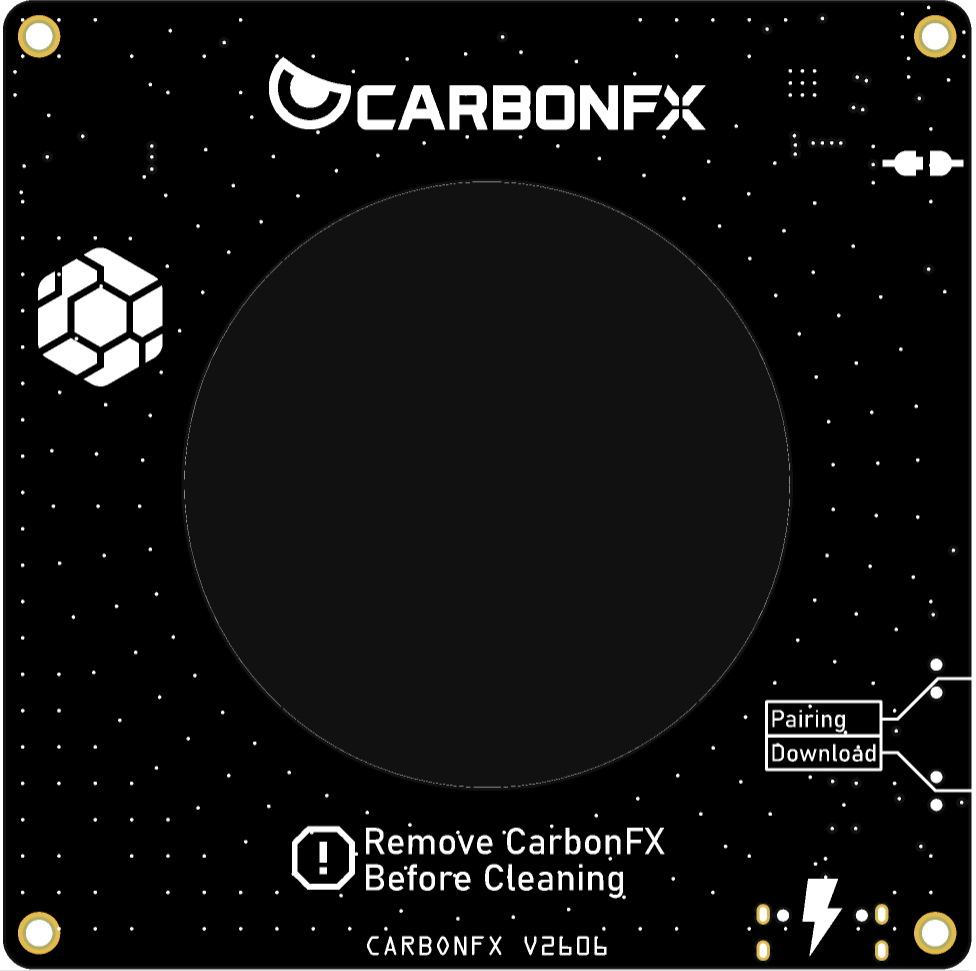
01 / BEFORE YOU START
Use this procedure when a new CarbonFX, or one that has not been used for a long time, appears to have its built-in RF receiver in the wrong mode.
Disconnect the USB cable before you begin. The first button press must happen while CarbonFX is unpowered.
02 / MODE SWITCH
The timing matters: hold Pairing first, then connect USB without releasing the button.
Make sure no USB cable is connected to CarbonFX.
With CarbonFX still unpowered, press and keep holding the Pairing button.
While continuing to hold Pairing, plug the USB cable into CarbonFX.
Watch the white LED above the Pairing button on the left side and count how many times it flashes.
03 / LED CHECK
The number of white LED flashes identifies the active receiver mode.
Repeat the full sequence.
CarbonFX is now in the required RF receiver mode.
Repeat the full sequence.
If you see one or three flashes, disconnect USB and repeat the steps above until the white LED flashes twice.